







A trading platform is the software a Forex broker uses to deliver prices, charts, account data, and an order ticket to the trader. It is the interface through which positions are opened, managed, and closed. Retail Forex platforms include desktop terminals such as MetaTrader 4, MetaTrader 5, and cTrader, plus browser-based and mobile apps. The platform does not replace the Forex broker. Spreads, leverage, and available symbols still come from the account the broker issued. The software only displays those conditions and sends the order.
Updated: October 2026
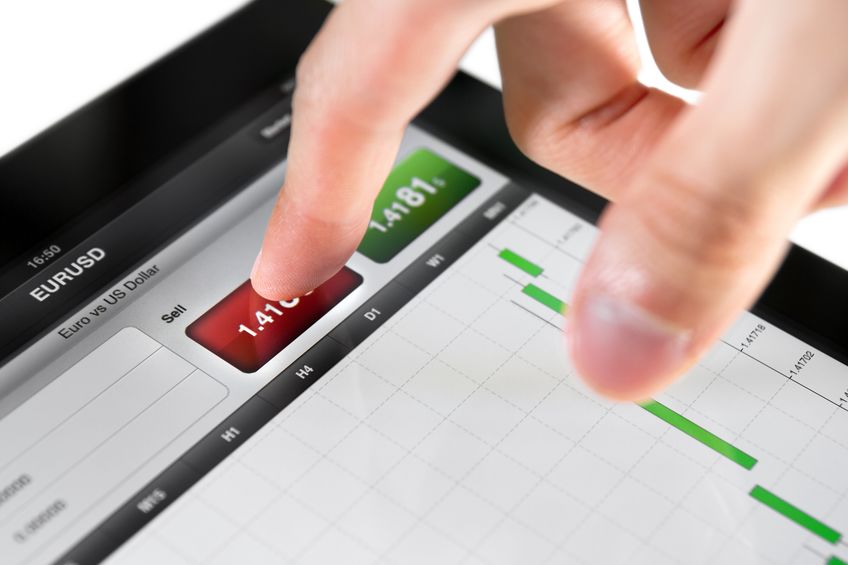
What a Trading Platform Does
Every retail platform performs the same core jobs. It streams a bid and an ask for each instrument. It draws a chart so that price history is visible. It accepts an order – market, limit, stop – and returns a fill or a rejection. It then keeps a running total of balance, equity, used margin, and floating P/L.
Those jobs sound simple until the market moves. A delayed quote, a frozen one-click ticket, or a chart that does not refresh is not a cosmetic problem. It is an execution problem. The platform is the pipe between your decision and the broker’s dealing book, so stability and honest timestamps matter as much as the number of indicators in the toolbox.
Most brokers offer the terminal at no extra licence fee. You pay the broker through spread and commission, not MetaQuotes or cTrader, unless you later buy a commercial expert advisor or a VPS. The brand on the login screen is often a white-label of a standard product. That is why MT4 at broker A and MT4 at broker B can look identical while fills, symbols, and swap rates differ.
MetaTrader 4
MetaTrader 4 remains the most widely recognised retail Forex terminal. It runs on Windows as a native desktop application; Mac and Linux users typically use a wrapper or a virtual machine. The layout is a market-watch list, charts, a navigator for indicators and expert advisors, and a terminal window for orders, history, and the journal.
MT4 was built around Forex and CFDs. It supports hedging: you can hold a long and a short on the same pair at the same time. Pending orders are buy limit, sell limit, buy stop, and sell stop. Trailing stops are handled on the client side, which means they do not update if the terminal is closed unless the broker has added a server-side plugin. Custom tools are written in MQL4. That large library of indicators and EAs is the main reason many desks still offer MT4.
Limits are real. MT4 has fewer built-in timeframes than MT5, no native economic calendar, and a shallower depth-of-market window. Time and Sales and full order-book trading are not its strength. For discretionary chart work and EA-based Forex trading styles that already exist in MQL4, it is still a practical default.
MetaTrader 5
MetaTrader 5 is the successor terminal from the same vendor. It adds more timeframes, more pending order types (including buy stop limit and sell stop limit), a built-in economic calendar, and a strategy tester that can use multiple symbols. Custom code uses MQL5, which is not the same language as MQL4; an MT4 expert advisor does not drop in unchanged.
MT5 can run in hedging mode or netting mode. Netting means one aggregated position per symbol, which is closer to futures-style books. Hedging mode behaves more like MT4. The mode is set by the broker, not by a checkbox on your chart. If you rely on locking a long against a short, confirm hedging is enabled on that server before you fund the account.
For multi-asset desks that list Forex, stock CFDs, and futures-style products on one login, MT5 is usually the cleaner shell. For a Forex-only account, the choice between MT4 and MT5 is often about which EAs and indicators you already use, not about a universal quality ranking.
cTrader
cTrader is a separate platform, commonly paired with ECN-style or raw-spread accounts. It is known for a readable depth-of-market (DOM) ladder, detached chart windows, and cBots written in C#. Positions, orders, and average fill price are displayed in a way that suits traders who care about liquidity inside the spread, not only about a single bid/ask.
cTrader typically supports market, limit, stop, stop-limit, and advanced attached orders such as stop loss and take profit on the same ticket. Some brokers expose volume-weighted or “market range” orders that cap slippage. Those extras are only as good as the liquidity the broker type actually provides. A DOM that shows one pip of depth on a thin symbol is still a thin symbol.
Not every broker offers cTrader. Where it exists, it is often the terminal for commission accounts rather than for wide, all-in spreads. Switching from MT4 to cTrader is a workflow change: hotkeys, chart templates, and EA libraries do not carry over. Test the ticket on demo until placing a stop and a take-profit is automatic.
Web and Mobile Apps
Web platforms run in a browser. There is nothing to install, which is useful on a locked-down work PC or a borrowed machine. The same login usually maps to the desktop account, so an order placed on the web appears in MT5 a second later. The trade-off is feature depth: fewer custom indicators, fewer hotkeys, and a dependence on the browser staying awake.
Mobile apps cover iOS and Android. They are built for monitoring and for simple order changes — moving a stop, closing a ticket — rather than for building a full template of technical analysis tools. Charts on a phone are readable for one or two pairs. They are a poor place to design a new system. Use the app as a remote control for an account you already understand on desktop.
A reliable internet connection is part of the platform. If the socket drops, desktop MT4/MT5 will show “no connection” and pending orders that already sit on the server still rest with the broker. Trailing stops that live only on the client do not. That is a reason some traders keep a VPS next to the broker’s server, not because the platform brand requires it.
Execution, Slippage and Stops
The order ticket is where money is made or lost. Look at three behaviours, not at the wallpaper theme. First, quote fidelity: does the last price on the chart match the bid/ask on the ticket, and how often does the quote freeze. Second, fill behaviour: market orders should return a price and a volume without a long pause. Third, protection orders: stop loss and take profit should be accepted by the server, not only drawn as lines on your screen.
You buy 1.00 lot EUR/USD. The ticket shows 1.10000 / 1.10010 (1.0 pip spread; about $10 of spread cost if a pip is $10). The fill comes back at 1.10018. That is 0.8 pip of slippage, or about $8. Combined friction on entry is about $18. On a 0.10 lot the same event costs about $1.80. The platform should show the requested price and the fill so you can audit that difference.
| Event (illustrative) | Price / size | Cash effect, 1.00 lot EUR/USD |
|---|---|---|
| Quoted spread | 1.0 pip | $10 |
| Positive slippage on buy | +0.8 pip vs ask | +$8 extra cost |
| Stop loss 25 pips | 0.00250 | $250 risk, plus entry friction |
| Same stop on 0.10 lot | Mini lot | $25 risk |
Lot size itself is explained in the guide to what a lot is in Forex.
Charting and Order Types
Charting is how most discretionary traders read a currency pair. A usable platform offers candles, bars, and a line, multiple timeframes, and the ability to save a template. Crosshair, magnet to OHLC, and trading from the chart (drag stop, drag take-profit) reduce errors compared with typing prices into a separate ticket. For a comparison of candle, bar, and line views, see types of charts.
A complete Forex ticket needs at least market, limit, and stop orders, plus stop loss and take profit attached to the position. A buy limit waits for a cheaper ask. A buy stop waits for a break above a price. The same logic inverted applies to sells. Stop-limit orders (common on MT5 and cTrader) become a limit only after a stop price is touched, which avoids a market stampede through a gap but can leave you unfilled.
OCO (one-cancels-the-other) and attached take-profit / stop-loss brackets reduce the chance of two protective orders both filling. Trailing stops that run on the server keep working when your laptop sleeps. If trailing is client-side only, closing the terminal cancels the trail. Partial close and a visible stop level also matter: some books reject a stop placed closer than N pips to the bid.

Account Data, News and Security
The terminal should show balance, equity, margin, and free margin without opening a separate website. Floating P/L should update with the quote. History should export to a file so that you can reconcile deposits and swaps. If the only P/L you can see is a marketing dashboard on the broker’s site, you are not really using the platform as a ledger.
News and a calendar help traders who react to data releases. Built-in feeds are a convenience. They are not a substitute for the official statistical office. Latency on a headline widget is unrelated to latency on the order server. Do not assume that a red-folder alert inside MT5 will beat a dedicated news wire.
Security is login hygiene: a unique password, two-factor authentication where the broker offers it, and no third-party EA that asks for your master password. Desktop platforms talk over encrypted sockets; a public Wi-Fi still deserves care if you must trade away from home. The broker holds the funds; the platform holds the keys to those funds.
How to Test a Platform
Open a demo account on the same server type you would fund. Place a market order, a limit, a stop, and a stop loss. Disconnect the internet for a minute and see whether pending orders remain. Load the mobile app and move the stop. Check that the leverage and margin displayed match the account specification. One-click and depth-of-market buttons make mis-clicks expensive; confirm whether a full lot still asks for confirmation.
Then look at behaviour around a scheduled release, still on demo. Note requotes, rejected stops, and chart freezes. Compare that log with the broker’s execution policy. Repeat the same tickets on the web and mobile apps so that a stop moved on the phone is visible on the desktop within a few seconds.
Platform testing is one input when you later choose a Forex broker; it is not a replacement for reading regulation and withdrawal rules. Stops themselves belong in a written risk management plan, not only as lines on a chart.
Trading CFDs and Forex with leverage can result in losses that exceed the deposit. This page is educational and is not investment advice. Figures in the examples are illustrative and should be checked with the broker before they are used on a live order.
Frequently Asked Questions About Trading Platforms
What is a trading platform in Forex?
It is the software that shows prices and charts, displays account balances, and sends buy and sell orders to the broker that holds the account.
What is the difference between MT4 and MT5?
MT5 has more timeframes, more pending order types, a built-in calendar, and MQL5 instead of MQL4. MT4 remains widely used for existing Forex expert advisors and hedging-style workflows.
What is cTrader?
cTrader is a retail trading platform known for depth of market, C# automation (cBots), and a ticket that suits ECN-style accounts. Availability depends on the broker.
Can I trade Forex in a web browser?
Yes. Many brokers offer a web platform linked to the same account as the desktop terminal. Web versions are convenient but often have fewer custom indicators and hotkeys.
Which platform features matter most?
Stable quotes, fast and auditable fills, server-side stop loss and take profit, clear margin figures, and the order types your method requires. Extra indicators are secondary.
Do I pay extra for MetaTrader or cTrader?
Retail brokers usually include the terminal at no licence fee. You still pay the broker’s spread and commission. Paid add-ons such as commercial EAs or a VPS are optional.
Are trailing stops always active if I close the platform?
Only if the trail is held on the broker’s server. Client-side trailing stops in MT4/MT5 stop updating when the terminal is shut. Confirm which type your broker provides.
How should I test a platform before going live?
Use a demo on the same server type, place each order type you need, check mobile control of stops, and watch behaviour around a news release. Then read the live contract specifications.
Summary
A trading platform is the software layer between you and the broker. MT4, MT5, cTrader, web, and mobile apps all stream prices and send orders; they differ in charting, order types, automation language, and whether depth of market is usable. The features that change P/L are execution (spread, slippage, server-side stops), honest account figures, and a ticket that supports the orders you actually use.
Choose the terminal that matches your workflow, then confirm that the broker’s book will honour the stops and lot sizes you need. The platform cannot repair a poor execution model, and a famous platform name is not a substitute for a clear contract.